
User notifications
Managing Notification Settings
You can choose which e-mail notifications you want to receive from your user settings.
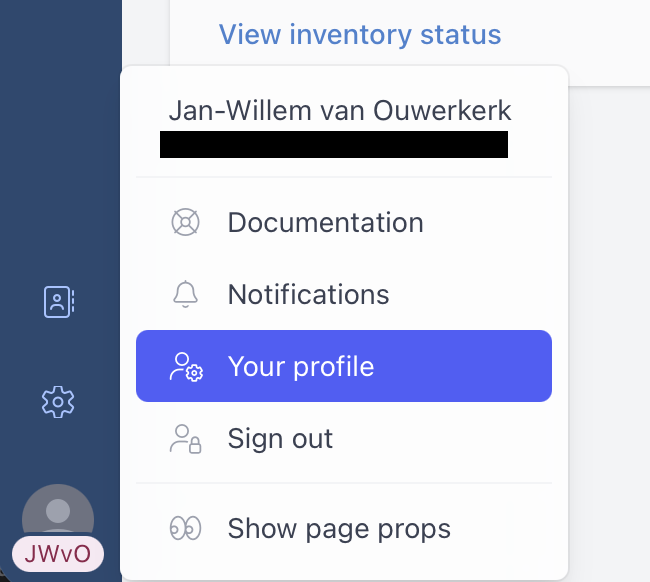
Open Your Notification Settings
- Open your user settings.
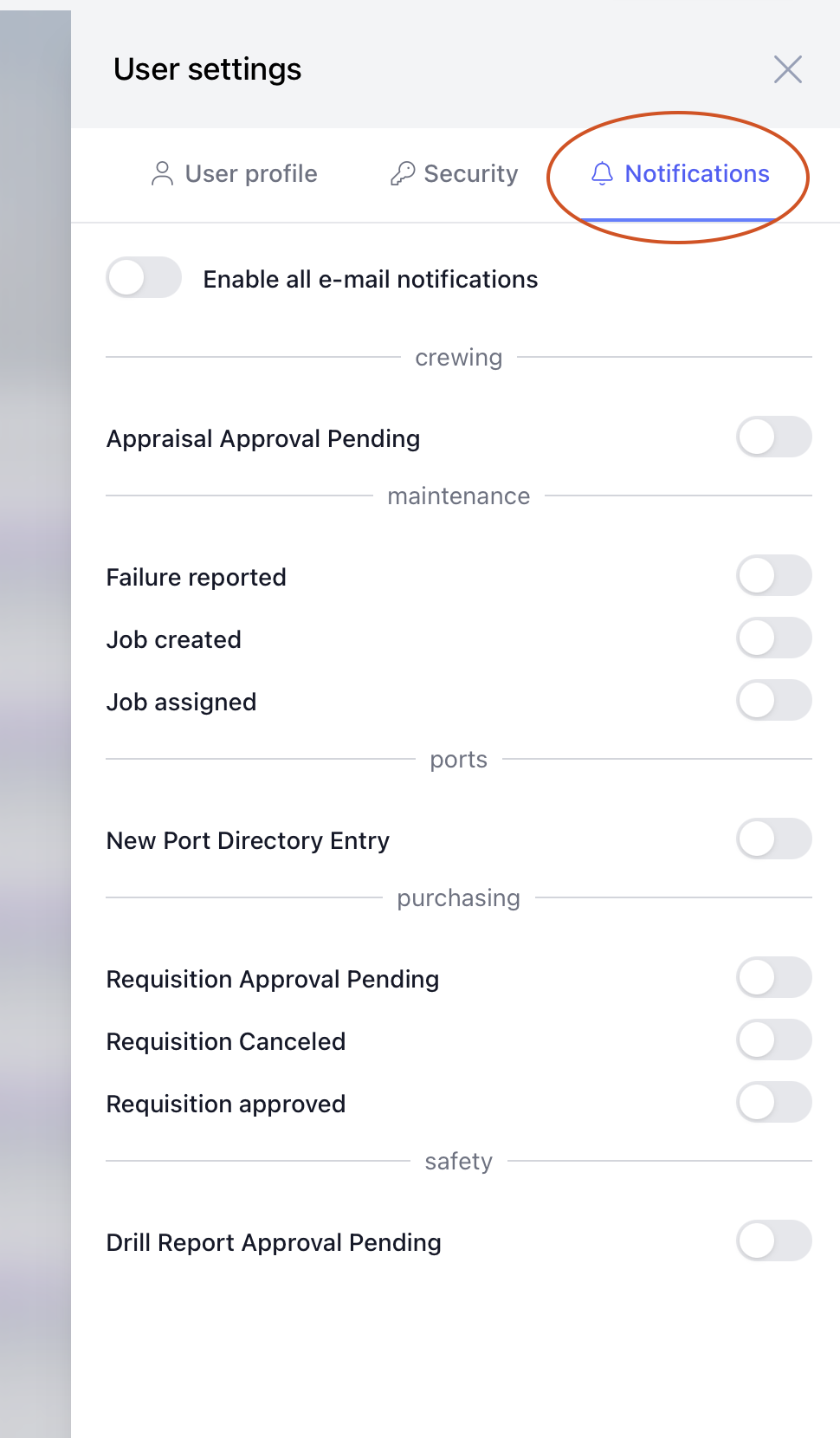
- Go to the Notifications tab.
Enable or Disable All E-mail Notifications
Use Enable all e-mail notifications to control all e-mail notifications at once.
- Turn it on to receive e-mail notifications.
- Turn it off to stop receiving e-mail notifications.
When this setting is turned off, individual notification settings are also disabled.
Enable or Disable Specific Notifications
Below the main e-mail notification setting, you will see a list of notification types grouped by module.
Each notification has its own toggle.
- Turn a notification on to receive that type of e-mail.
- Turn a notification off to stop receiving that type of e-mail.
Examples of notification groups may include maintenance, crewing, purchasing, safety, or ports, depending on which modules you can access.
Save Your Changes
After changing your notification settings, select Save changes.
Your new notification preferences will be used for future e-mails.