
Your dashboard
Your dashboard
The dashboard is the first page you see after logging in.
It gives you a quick overview of the work that needs attention.

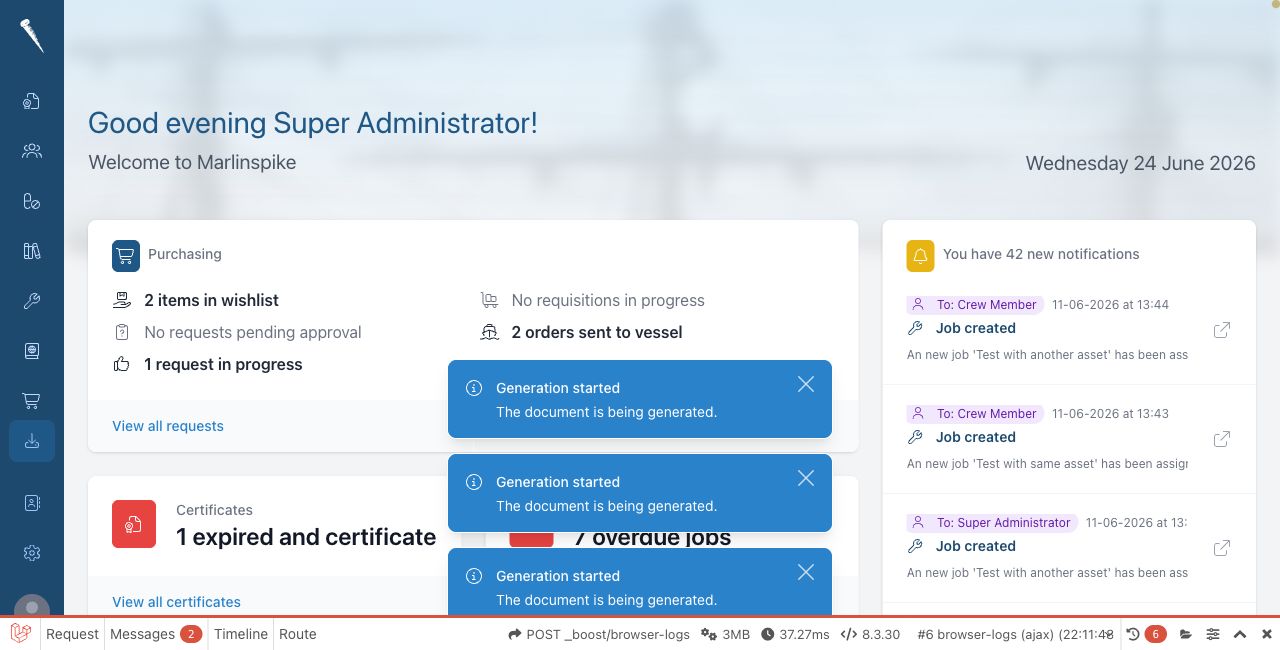
What you see on the dashboard
The dashboard is made of small information blocks.
Depending on your permissions and enabled modules, you may see items such as:
- certificates that are due or expired
- upcoming maintenance jobs
- purchasing requests and orders
- appraisals
- drills
- notifications
Click an item to open the related module or record.
Customising the dashboard
Click Customize dashboard when you want to change which blocks are shown.
Only blocks for modules you can access are available.
Notifications
The dashboard can show recent notifications.
Click a notification or open the Notifications area from the user menu to see more.