
Assets
Assets
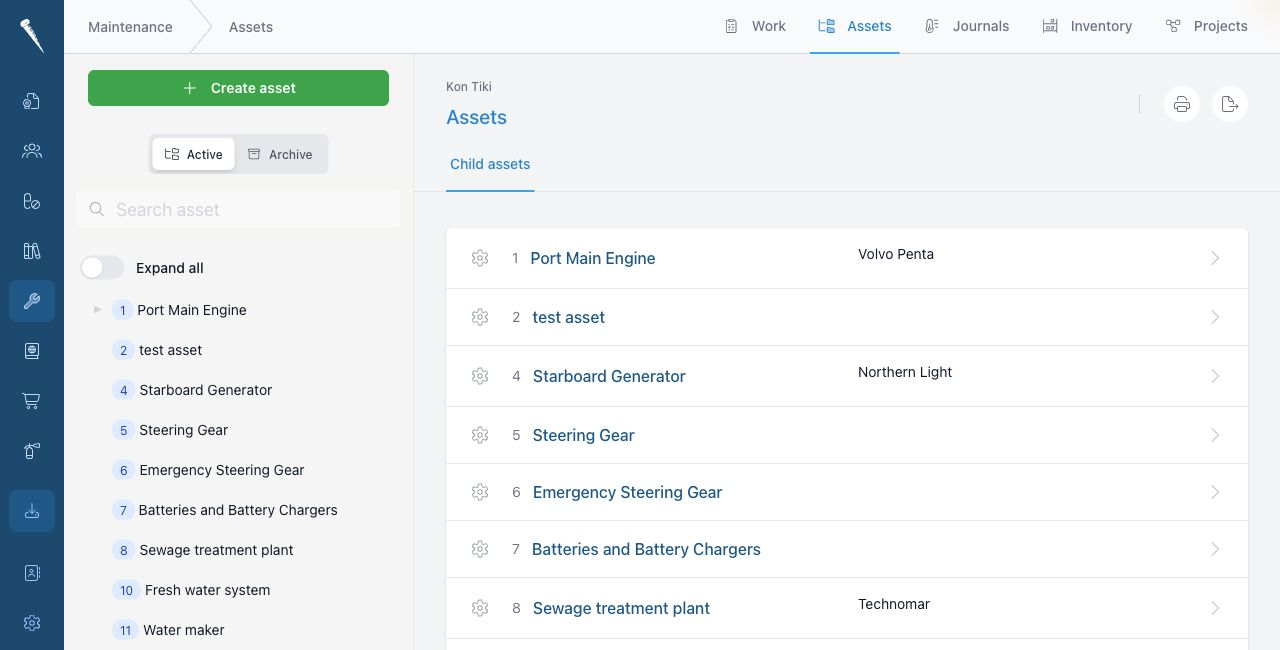
The Assets tab contains the vessel asset tree.
Assets are the equipment, systems and structure that maintenance work is linked to.
You need asset permissions to create, update, delete or manage assets.
Opening Assets
Open Maintenance and click Assets.
Finding an asset
Use the asset tree or search to find the asset.
Open the asset to see its details, jobs, records, parts and documents.
Creating an asset
Click New asset or the add action in the asset tree.
Fill in the asset details, such as code, name, make, type, serial number and location.
Save the asset.
Editing an asset
Open the asset and click Edit.
Change the details and save the changes.
Asset jobs
Open the Jobs section of an asset to see jobs connected to that asset.
You can create routine jobs or non-routine jobs from the asset when you have the correct permissions.
Asset records
Open the Records or History section to see maintenance that has been completed for the asset.
Decommissioning an asset
Use decommission when an asset is no longer active.
A decommissioned asset is kept for history, but it is no longer treated as active equipment.