
Inventory
Inventory
The Inventory sectiontab is used tofor manage sparemaintenance parts and consumables.stock locations.
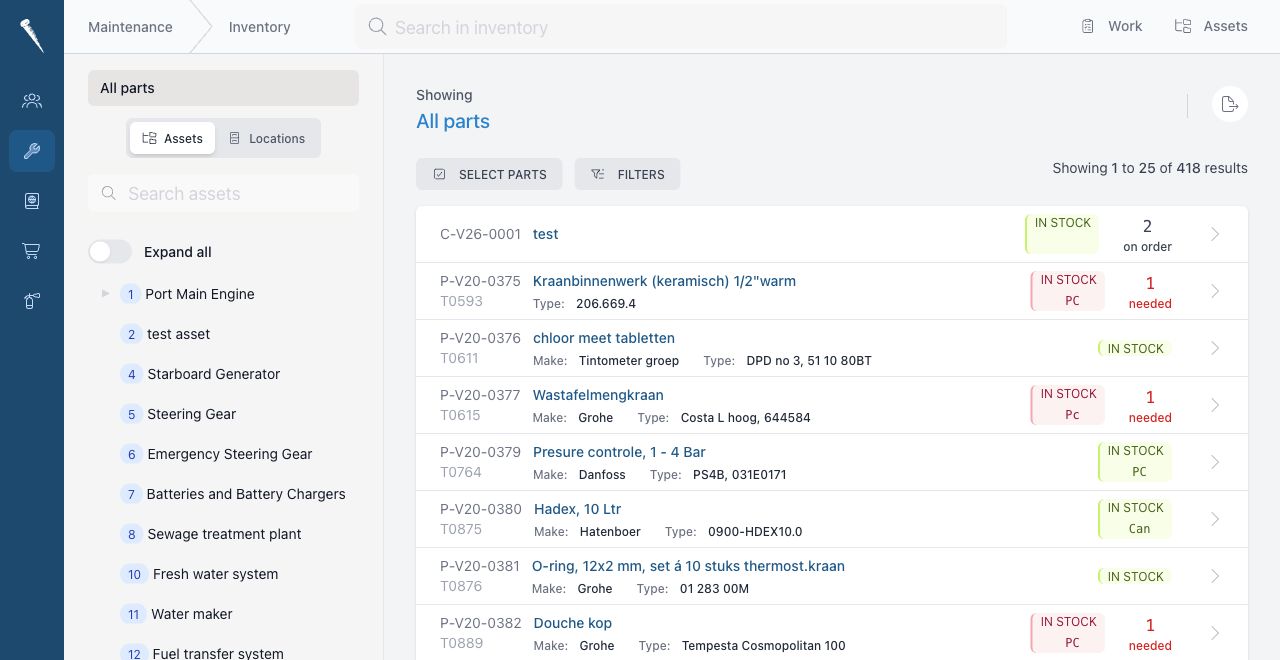

Parts
Access
PartsYoucanneedinclude:
CodeNameMakeType numberSerial numberSupplierOrder numberStock unitStandard stockMinimum stockCritical flagRemarks
Stock Locationsto
Parts can be linkedinventorylocationsopenso current stock can be tracked by storage location.
Transactions
Stock changes are recorded as transactions.Inventory.
CommonCreating,transactionediting,typesdeletingare:and linking parts require additional part permissions.
Opening
Open Maintenance and click Inventory.
Finding parts
Use transactionssearch or filters to keepfind a part.
Open a part to see stock, linked assets, locations, suppliers and files.
Creating a part
Click New part.
Fill in the part details, such as code, name, description and supplier details.
Add locations when the part is stored on board.
Save the part.
Updating stock
Open the part.
Use the transaction or stock levels accurate.
Parts Linkedaction to Assets
add, remove or correct stock.
PartsSelect canthe belocation linkedand enter the quantity.
Save the transaction.
Linking parts to assets
Open theythe arepart usedor byasset.
Use equipment.the link action to connect the part to the asset where it is used.
This helps users find the correctright spare parts from anthe asset page.
Locations
Inventory uses Vessel Locations from Marlinspike Settings.
Keep location names and codes consistent so stock lists remain readable.