
Initials
Initials
Initials are used to identify people in forms, records and workflows where a short signature or reference is needed.
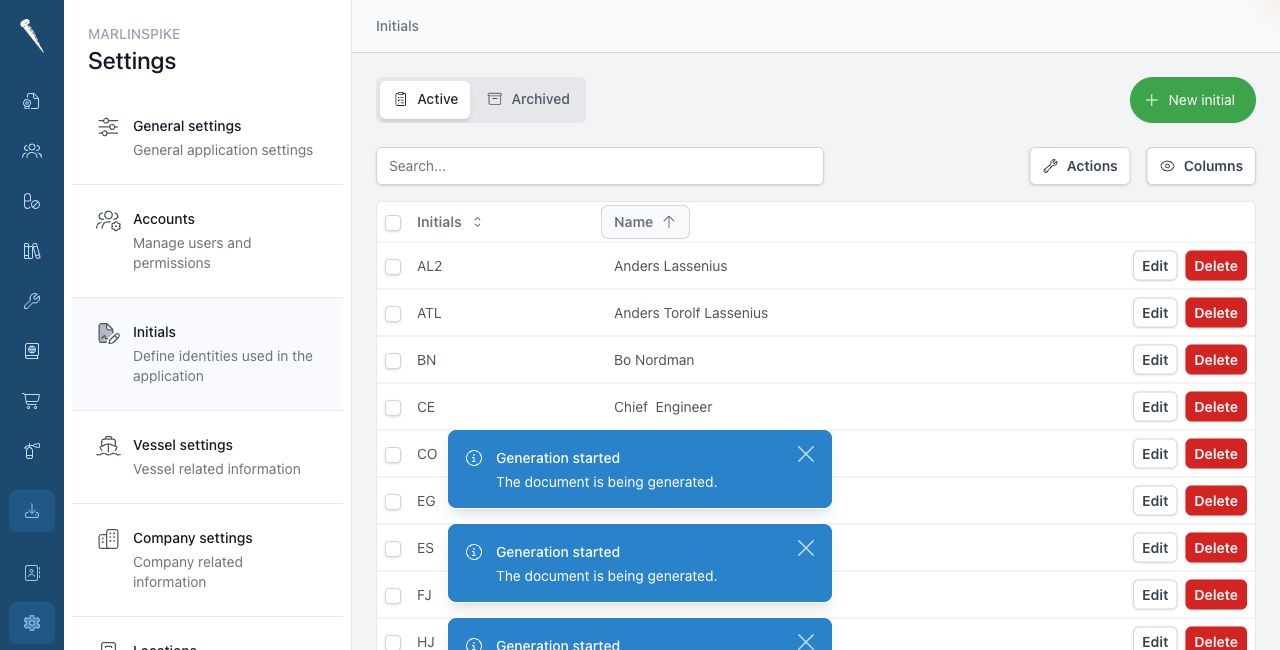

You need Access Settings Module and Manage Initials to manage initials.
Opening Initials
Open Settings and click Initials.
Creating initials
Click New initial.
Fill in the initials and the related name or details.
Save the initial.
Editing initials
Open the initial from the list.
Change the details and save the changes.
Linking initials to a user
Initials can be linked to a user from the user account form.
Open Settings > Accounts > Users.
Open the user.
Enable standard initials and either select an existing initial or create initials based on the user's name.
Archiving initials
Use the delete or archive action when an initial should no longer be active.
Archived initials are kept for history.
Restoring initials
Open the initials archive.
Find the archived initial and restore it.
When to use initials
Use initials when the same person needs a short and recognisable reference throughout Marlinspike.
Keep initials consistent, especially when they are used in reports or approvals.