
Vessel Locations
Vessel Locations
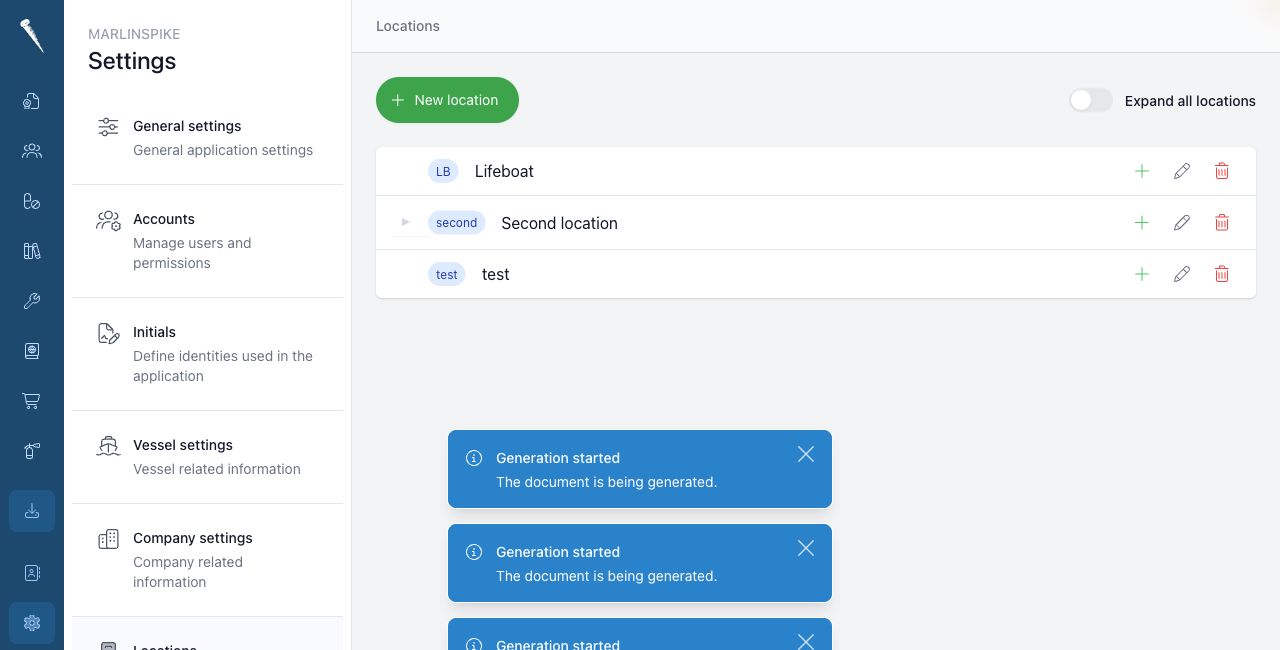
Vessel Locations define the onboard location tree.
Locations are used by inventory, hospital equipment, maintenance parts and other workflows that need a physical place on board.
You need Access Settings Module and Manage Locations to manage vessel locations.
Opening Vessel Locations
Open Settings and click Locations.
Expanding the tree
Use Expand all locations to open or close the full location tree.
You can also open only the branch you need.
Creating a top-level location
Click New location.
Enter the location name and code.
Leave the parent empty when the location should be at the top level.
Save the location.
Creating a sub-location
Open the parent location in the tree.
Use the add action on that parent, or click New location and select the parent in the form.
Enter the name and code and save the location.
Location codes
Marlinspike builds the full location code from the location and its parent structure.
Use short and consistent codes. This keeps inventory screens and exports readable.
Editing a location
Find the location in the tree and click the edit action.
Change the name, code or parent location and save it.
Deleting a location
Find the location in the tree and click the delete action.
Before deleting a location, check whether it is used by inventory, hospital equipment, maintenance parts or other records.