
Vessel Settings
Vessel Settings
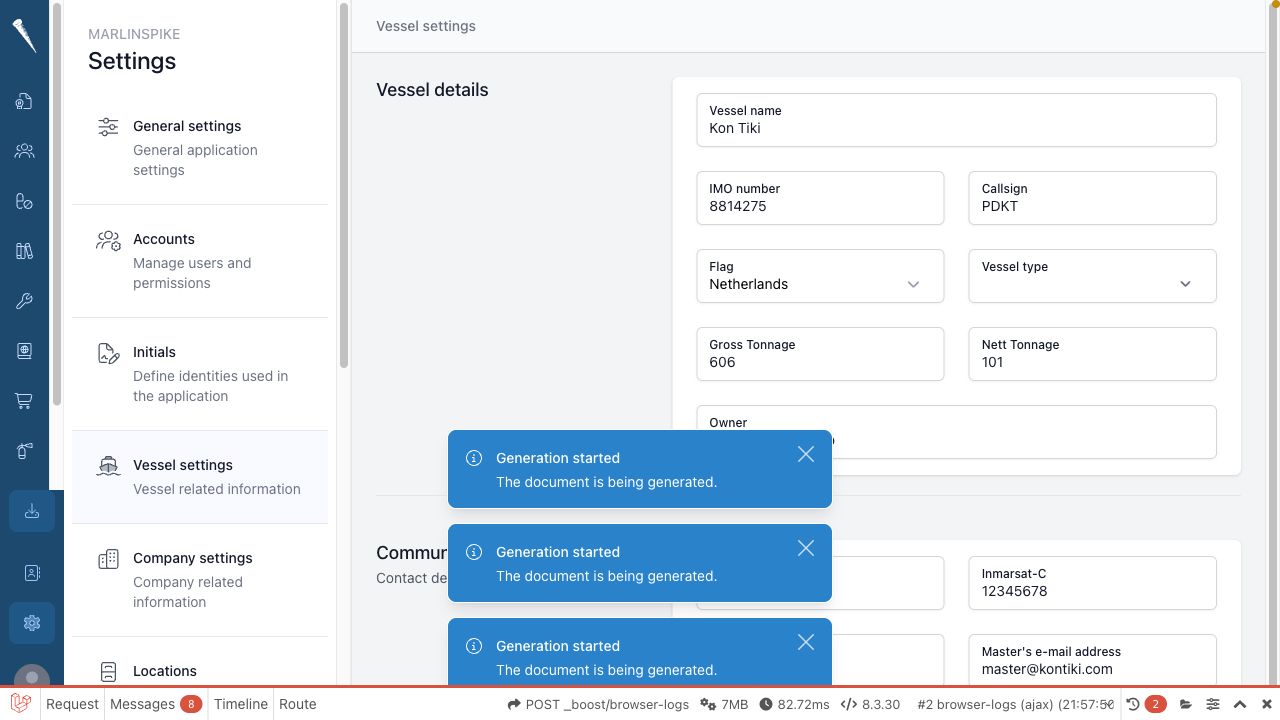
Vessel Settings storecontain the official vessel details used inthroughout reports, exports, e-mails and module workflows.Marlinspike.

Required permissions
You
needneed:change
- Access Settings Module
and(settings-access)- Manage Vessel Settings
to(settings-vessel)
Openthis page.
Opening Vessel Settings
Open Settings
.Selectand click Vessel.
EditEditing vessel details
OpenSettings > Vessel.UpdateChange the
vesselfieldfields,you want to update.The fields are saved automatically.
You can update details such as:
Vesselvessel nameCallcall signHomehome portFlagflag- IMO number
Vesselvessel type- MMSI
Grossgross tonnage- net tonnage
- SAT-C
and cell phone details OwnercellphoneMasterowner- master e-mail address
andSelectSave.Check for validation messages if the page does not save.
Update the masterMaster e-mail address
OpenSettings > Vessel.Enter the address inMaster e-mail.SelectSave.
The master e-mail address must be a valid e-mail address.
This mayaddress can be used by workflows that contact or identify the master.
ReviewCheck before saving
carefully
BeforeVessel saving vessel details, check spelling and official numbers carefully. These valuesdetails can appear on printedreports, documents, exported reportsexports and e-mails.
Check official numbers and spelling before leaving the page.