
Vessel Settings
Vessel Settings
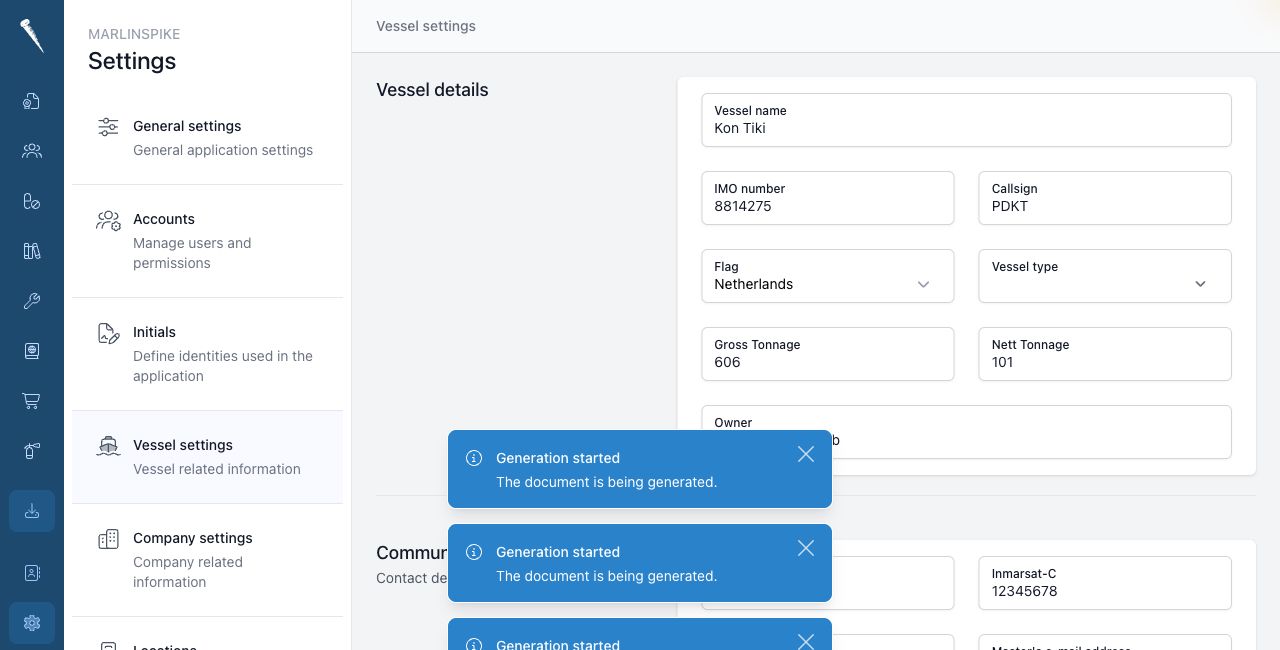
Vessel Settings contain the official vessel details used throughout Marlinspike.

You need Access Settings Module and Manage Vessel Settings to change this page.
Opening Vessel Settings
Open Settings and click Vessel.
Editing vessel details
Change the field you want to update.
The fields are saved automatically.
You can update details such as:
- vessel name
- call sign
- home port
- flag
- IMO number
- vessel type
- MMSI
- gross tonnage
- net tonnage
- SAT-C
- cellphone
- owner
- master e-mail address
Master e-mail address
The master e-mail address must be a valid e-mail address.
This address can be used by workflows that contact or identify the master.
Check carefully
Vessel details can appear on reports, exports and e-mails.
Check official numbers and spelling before leaving the page.